
Why Build a REST API with Plain PHP?
Building a REST API with plain PHP gives you full control over every aspect of your application. Key advantages include:
- No framework overhead — lightweight and blazing fast
- Full understanding of how APIs work under the hood
- Easy to deploy on any shared or VPS hosting with PHP and MySQL
- Complete control over routing, validation, and response formatting
- Great foundation before moving to frameworks like Laravel or Slim
- Perfect for small to medium-sized projects and microservices
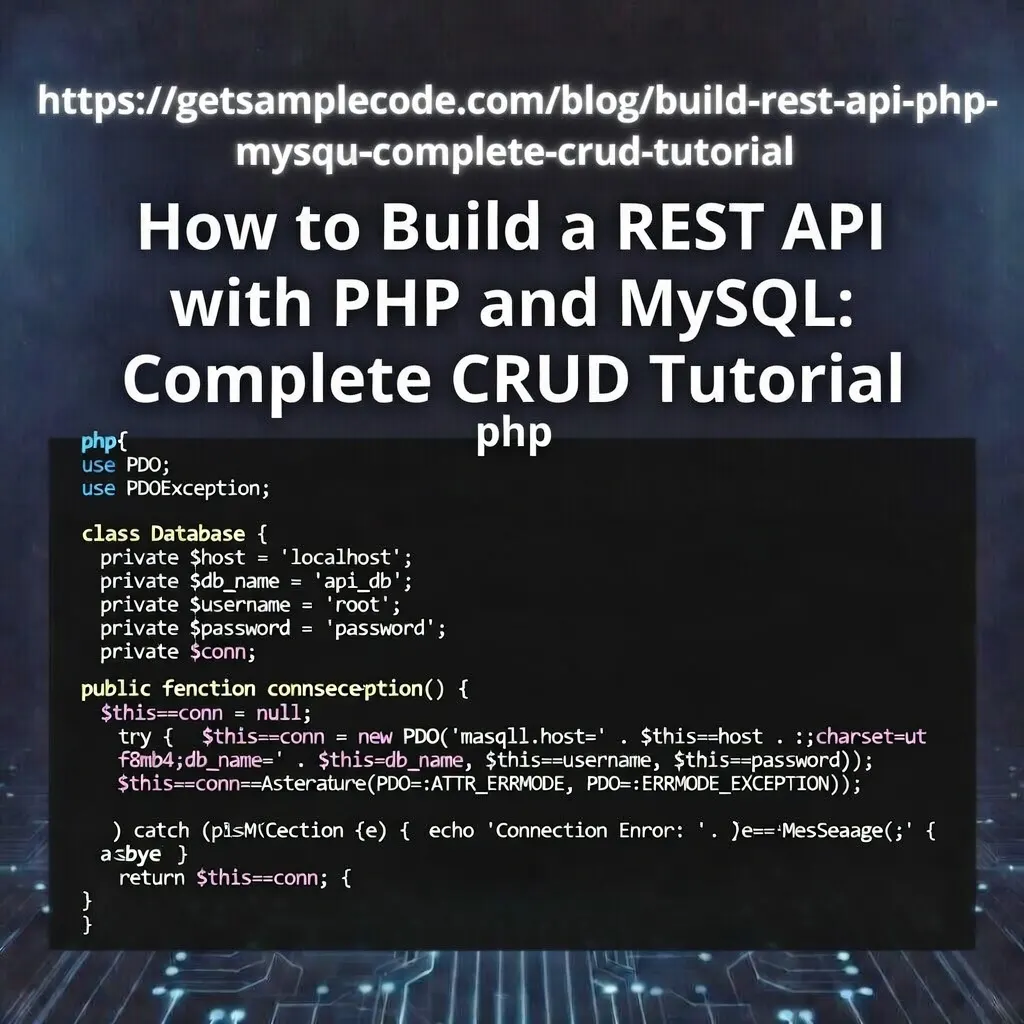
Table Of Content
1 Prerequisites
- PHP 8.0+ installed
- MySQL / MariaDB
- Apache with mod_rewrite (or PHP built-in server)
- Postman or cURL for API testing
- Basic PHP and SQL knowledge
2 What is a REST API?
GET — Retrieve data (Read)
POST — Create new data (Create)
PUT — Update existing data (Update)
DELETE — Remove data (Delete)
Key REST principles:
1. Stateless — Each request contains all the information needed. No server-side session storage.
2. Resource-based URLs — URLs represent resources, e.g., /api/products or /api/products/5.
3. JSON format — Request and response bodies are in JSON format.
4. Proper HTTP status codes — 200 OK, 201 Created, 404 Not Found, 422 Validation Error, 500 Server Error, etc.
In this tutorial, we will build a Products API with full CRUD operations.
3 Project Setup
3.1 Create Project Directory
mkdir php-rest-api
cd php-rest-api
mkdir config
mkdir models
mkdir api
mkdir helpers
3.2 Database & Table Setup
CREATE DATABASE php_rest_api;

USE php_rest_api;

CREATE TABLE products (
    id INT AUTO_INCREMENT PRIMARY KEY,
    name VARCHAR(200) NOT NULL,
    description TEXT,
    price DECIMAL(10,2) NOT NULL DEFAULT 0.00,
    quantity INT NOT NULL DEFAULT 0,
    category VARCHAR(100) DEFAULT NULL,
    is_active TINYINT(1) NOT NULL DEFAULT 1,
    created_at TIMESTAMP DEFAULT CURRENT_TIMESTAMP,
    updated_at TIMESTAMP DEFAULT CURRENT_TIMESTAMP ON UPDATE CURRENT_TIMESTAMP
) ENGINE=InnoDB DEFAULT CHARSET=utf8mb4;

-- Insert sample data
INSERT INTO products (name, description, price, quantity, category) VALUES
("Wireless Bluetooth Headphones", "Premium noise-cancelling headphones with 30-hour battery life", 79.99, 150, "Electronics"),
("Ergonomic Office Chair", "Adjustable lumbar support with breathable mesh back", 249.99, 45, "Furniture"),
("Stainless Steel Water Bottle", "Double-wall insulated 750ml bottle keeps drinks cold for 24 hours", 24.99, 500, "Kitchen"),
("USB-C Hub Adapter", "7-in-1 hub with HDMI, USB 3.0, SD card reader and PD charging", 39.99, 200, "Electronics"),
("Organic Green Tea Set", "Premium Japanese matcha and sencha collection - 50 bags", 18.50, 300, "Food & Beverage");
4 Database Connection (config/Database.php)
<?php

class Database
{
    private string $host = "localhost";
    private string $dbName = "php_rest_api";
    private string $username = "root";
    private string $password = "";
    private ?PDO $conn = null;

    public function getConnection(): PDO
    {
        if ($this->conn === null) {
            try {
                $dsn = "mysql:host={$this->host};dbname={$this->dbName};charset=utf8mb4";
                $this->conn = new PDO($dsn, $this->username, $this->password);
                $this->conn->setAttribute(PDO::ATTR_ERRMODE, PDO::ERRMODE_EXCEPTION);
                $this->conn->setAttribute(PDO::ATTR_DEFAULT_FETCH_MODE, PDO::FETCH_ASSOC);
                $this->conn->setAttribute(PDO::ATTR_EMULATE_PREPARES, false);
            } catch (PDOException $e) {
                http_response_code(500);
                echo json_encode(["error" => "Database connection failed"]);
                exit;
            }
        }

        return $this->conn;
    }
}

?>
5 Response Helper Class
<?php

class Response
{
    /**
     * Send a success response
     */
    public static function success(mixed $data, string $message = "Success", int $code = 200): void
    {
        http_response_code($code);
        echo json_encode([
            "success" => true,
            "message" => $message,
            "data"    => $data
        ]);
        exit;
    }

    /**
     * Send an error response
     */
    public static function error(string $message, int $code = 400, array $errors = []): void
    {
        http_response_code($code);
        $response = [
            "success" => false,
            "message" => $message
        ];

        if (!empty($errors)) {
            $response["errors"] = $errors;
        }

        echo json_encode($response);
        exit;
    }

    /**
     * Send method not allowed response
     */
    public static function methodNotAllowed(): void
    {
        self::error("Method not allowed", 405);
    }
}

?>
6 Product Model
<?php

class Product
{
    private PDO $conn;
    private string $table = "products";

    public function __construct(PDO $db)
    {
        $this->conn = $db;
    }

    /**
     * Get all products (with optional search and pagination)
     */
    public function getAll(int $page = 1, int $limit = 10, string $search = ""): array
    {
        $offset = ($page - 1) * $limit;

        $where = "WHERE is_active = 1";
        $params = [];

        if (!empty($search)) {
            $where .= " AND (name LIKE :search OR category LIKE :searchCat)";
            $params[":search"] = "%{$search}%";
            $params[":searchCat"] = "%{$search}%";
        }

        // Get total count
        $countStmt = $this->conn->prepare("SELECT COUNT(*) as total FROM {$this->table} {$where}");
        $countStmt->execute($params);
        $total = (int) $countStmt->fetch()["total"];

        // Get paginated results
        $sql = "SELECT id, name, description, price, quantity, category, created_at, updated_at
                FROM {$this->table} {$where}
                ORDER BY created_at DESC
                LIMIT :limit OFFSET :offset";

        $stmt = $this->conn->prepare($sql);
        foreach ($params as $key => $value) {
            $stmt->bindValue($key, $value);
        }
        $stmt->bindValue(":limit", $limit, PDO::PARAM_INT);
        $stmt->bindValue(":offset", $offset, PDO::PARAM_INT);
        $stmt->execute();

        return [
            "products"    => $stmt->fetchAll(),
            "total"       => $total,
            "page"        => $page,
            "limit"       => $limit,
            "total_pages" => ceil($total / $limit)
        ];
    }

    /**
     * Get a single product by ID
     */
    public function getById(int $id): ?array
    {
        $stmt = $this->conn->prepare(
            "SELECT id, name, description, price, quantity, category, created_at, updated_at
             FROM {$this->table}
             WHERE id = :id AND is_active = 1
             LIMIT 1"
        );
        $stmt->execute([":id" => $id]);
        $product = $stmt->fetch();

        return $product ?: null;
    }

    /**
     * Create a new product
     */
    public function create(array $data): array
    {
        $stmt = $this->conn->prepare(
            "INSERT INTO {$this->table} (name, description, price, quantity, category)
             VALUES (:name, :description, :price, :quantity, :category)"
        );

        $stmt->execute([
            ":name"        => $data["name"],
            ":description" => $data["description"] ?? null,
            ":price"       => $data["price"],
            ":quantity"    => $data["quantity"] ?? 0,
            ":category"    => $data["category"] ?? null
        ]);

        $id = (int) $this->conn->lastInsertId();
        return $this->getById($id);
    }

    /**
     * Update an existing product
     */
    public function update(int $id, array $data): ?array
    {
        // Check if product exists
        if (!$this->getById($id)) {
            return null;
        }

        $stmt = $this->conn->prepare(
            "UPDATE {$this->table}
             SET name = :name,
                 description = :description,
                 price = :price,
                 quantity = :quantity,
                 category = :category
             WHERE id = :id"
        );

        $stmt->execute([
            ":id"          => $id,
            ":name"        => $data["name"],
            ":description" => $data["description"] ?? null,
            ":price"       => $data["price"],
            ":quantity"    => $data["quantity"] ?? 0,
            ":category"    => $data["category"] ?? null
        ]);

        return $this->getById($id);
    }

    /**
     * Soft delete a product
     */
    public function delete(int $id): bool
    {
        if (!$this->getById($id)) {
            return false;
        }

        $stmt = $this->conn->prepare("UPDATE {$this->table} SET is_active = 0 WHERE id = :id");
        $stmt->execute([":id" => $id]);

        return true;
    }
}

?>
- All queries use prepared statements for SQL injection prevention
- Pagination support with page and limit parameters
- Search functionality across name and category fields
- Soft delete — products are deactivated instead of permanently removed
- Returns the full product object after create and update operations
7 API Endpoints (CRUD)
7.1 GET — Fetch All Products
<?php

header("Content-Type: application/json");
header("Access-Control-Allow-Origin: *");
header("Access-Control-Allow-Methods: GET");

require_once __DIR__ . "/../config/Database.php";
require_once __DIR__ . "/../models/Product.php";
require_once __DIR__ . "/../helpers/Response.php";

if ($_SERVER["REQUEST_METHOD"] !== "GET") {
    Response::methodNotAllowed();
}

try {
    $db      = (new Database())->getConnection();
    $product = new Product($db);

    $page   = max(1, (int) ($_GET["page"] ?? 1));
    $limit  = min(100, max(1, (int) ($_GET["limit"] ?? 10)));
    $search = trim($_GET["search"] ?? "");

    $result = $product->getAll($page, $limit, $search);

    Response::success($result, "Products retrieved successfully");

} catch (Exception $e) {
    Response::error("Failed to fetch products", 500);
}

?>
7.2 GET — Fetch Single Product
<?php

header("Content-Type: application/json");
header("Access-Control-Allow-Origin: *");
header("Access-Control-Allow-Methods: GET");

require_once __DIR__ . "/../config/Database.php";
require_once __DIR__ . "/../models/Product.php";
require_once __DIR__ . "/../helpers/Response.php";

if ($_SERVER["REQUEST_METHOD"] !== "GET") {
    Response::methodNotAllowed();
}

$id = isset($_GET["id"]) ? (int) $_GET["id"] : 0;

if ($id <= 0) {
    Response::error("Product ID is required and must be a positive integer", 422);
}

try {
    $db      = (new Database())->getConnection();
    $product = new Product($db);
    $result  = $product->getById($id);

    if (!$result) {
        Response::error("Product not found", 404);
    }

    Response::success($result, "Product retrieved successfully");

} catch (Exception $e) {
    Response::error("Failed to fetch product", 500);
}

?>
7.3 POST — Create Product
<?php

header("Content-Type: application/json");
header("Access-Control-Allow-Origin: *");
header("Access-Control-Allow-Methods: POST");
header("Access-Control-Allow-Headers: Content-Type");

if ($_SERVER["REQUEST_METHOD"] === "OPTIONS") {
    http_response_code(200);
    exit;
}

require_once __DIR__ . "/../config/Database.php";
require_once __DIR__ . "/../models/Product.php";
require_once __DIR__ . "/../helpers/Response.php";

if ($_SERVER["REQUEST_METHOD"] !== "POST") {
    Response::methodNotAllowed();
}

$input = json_decode(file_get_contents("php://input"), true);

if (!$input) {
    Response::error("Invalid JSON input", 400);
}

// Validate required fields
$errors = [];

$name     = trim($input["name"] ?? "");
$price    = $input["price"] ?? null;

if (empty($name)) {
    $errors[] = "Product name is required";
}
if ($price === null || !is_numeric($price) || $price < 0) {
    $errors[] = "Price must be a valid positive number";
}
if (isset($input["quantity"]) && (!is_numeric($input["quantity"]) || $input["quantity"] < 0)) {
    $errors[] = "Quantity must be a non-negative integer";
}

if (!empty($errors)) {
    Response::error("Validation failed", 422, $errors);
}

try {
    $db      = (new Database())->getConnection();
    $product = new Product($db);
    $result  = $product->create($input);

    Response::success($result, "Product created successfully", 201);

} catch (Exception $e) {
    Response::error("Failed to create product", 500);
}

?>
7.4 PUT — Update Product
<?php

header("Content-Type: application/json");
header("Access-Control-Allow-Origin: *");
header("Access-Control-Allow-Methods: PUT");
header("Access-Control-Allow-Headers: Content-Type");

if ($_SERVER["REQUEST_METHOD"] === "OPTIONS") {
    http_response_code(200);
    exit;
}

require_once __DIR__ . "/../config/Database.php";
require_once __DIR__ . "/../models/Product.php";
require_once __DIR__ . "/../helpers/Response.php";

if ($_SERVER["REQUEST_METHOD"] !== "PUT") {
    Response::methodNotAllowed();
}

$input = json_decode(file_get_contents("php://input"), true);

if (!$input) {
    Response::error("Invalid JSON input", 400);
}

$id = isset($input["id"]) ? (int) $input["id"] : 0;

if ($id <= 0) {
    Response::error("Product ID is required", 422);
}

// Validate fields
$errors = [];

$name  = trim($input["name"] ?? "");
$price = $input["price"] ?? null;

if (empty($name)) {
    $errors[] = "Product name is required";
}
if ($price === null || !is_numeric($price) || $price < 0) {
    $errors[] = "Price must be a valid positive number";
}

if (!empty($errors)) {
    Response::error("Validation failed", 422, $errors);
}

try {
    $db      = (new Database())->getConnection();
    $product = new Product($db);
    $result  = $product->update($id, $input);

    if (!$result) {
        Response::error("Product not found", 404);
    }

    Response::success($result, "Product updated successfully");

} catch (Exception $e) {
    Response::error("Failed to update product", 500);
}

?>
7.5 DELETE — Delete Product
<?php

header("Content-Type: application/json");
header("Access-Control-Allow-Origin: *");
header("Access-Control-Allow-Methods: DELETE");
header("Access-Control-Allow-Headers: Content-Type");

if ($_SERVER["REQUEST_METHOD"] === "OPTIONS") {
    http_response_code(200);
    exit;
}

require_once __DIR__ . "/../config/Database.php";
require_once __DIR__ . "/../models/Product.php";
require_once __DIR__ . "/../helpers/Response.php";

if ($_SERVER["REQUEST_METHOD"] !== "DELETE") {
    Response::methodNotAllowed();
}

$input = json_decode(file_get_contents("php://input"), true);
$id    = isset($input["id"]) ? (int) $input["id"] : 0;

if ($id <= 0) {
    Response::error("Product ID is required", 422);
}

try {
    $db      = (new Database())->getConnection();
    $product = new Product($db);
    $deleted = $product->delete($id);

    if (!$deleted) {
        Response::error("Product not found", 404);
    }

    Response::success(null, "Product deleted successfully");

} catch (Exception $e) {
    Response::error("Failed to delete product", 500);
}

?>
8 .htaccess & Clean URL Routing
RewriteEngine On

# API route mappings
RewriteRule ^api/products$ api/products.php [L,QSA]
RewriteRule ^api/products/(\d+)$ api/product.php?id=$1 [L,QSA]
RewriteRule ^api/products/create$ api/product_create.php [L]
RewriteRule ^api/products/update$ api/product_update.php [L]
RewriteRule ^api/products/delete$ api/product_delete.php [L]
GET /api/products — List all products
GET /api/products/5 — Get product with ID 5
POST /api/products/create — Create a new product
PUT /api/products/update — Update a product
DELETE /api/products/delete — Delete a product
Alternatively, for development you can use the PHP built-in server:
php -S localhost:8000
9 Folder Structure
10 Testing with Postman
php -S localhost:8000
1. GET All Products
- Method: GET
- URL: http://localhost:8000/api/products.php
- Optional params: ?page=1&limit=5&search=electronics
→ Expected: 200 OK with paginated product list
2. GET Single Product
- Method: GET
- URL: http://localhost:8000/api/product.php?id=1
→ Expected: 200 OK with single product details
3. POST Create Product
- Method: POST
- URL: http://localhost:8000/api/product_create.php
- Headers: Content-Type: application/json
- Body (raw JSON):
{
    "name": "Mechanical Keyboard",
    "description": "RGB backlit mechanical keyboard with Cherry MX switches",
    "price": 129.99,
    "quantity": 75,
    "category": "Electronics"
}
4. PUT Update Product
- Method: PUT
- URL: http://localhost:8000/api/product_update.php
- Body (raw JSON):
{
    "id": 1,
    "name": "Wireless Bluetooth Headphones V2",
    "description": "Upgraded noise-cancelling with 40-hour battery life",
    "price": 89.99,
    "quantity": 200,
    "category": "Electronics"
}
5. DELETE Product
- Method: DELETE
- URL: http://localhost:8000/api/product_delete.php
- Body (raw JSON):
{
    "id": 3
}
6. Test Error Cases
- GET non-existing product: /api/product.php?id=999 → 404 Not Found
- POST with missing name → 422 Validation Error
- POST with invalid JSON → 400 Bad Request
- Use wrong HTTP method → 405 Method Not Allowed
11 API Endpoints Summary Table
| Method | Endpoint | Description | Status Code |
|---|---|---|---|
| GET | /api/products.php | Fetch all products (paginated) | 200 |
| GET | /api/product.php?id={id} | Fetch single product by ID | 200 / 404 |
| POST | /api/product_create.php | Create a new product | 201 / 422 |
| PUT | /api/product_update.php | Update existing product | 200 / 404 / 422 |
| DELETE | /api/product_delete.php | Soft delete a product | 200 / 404 |
12 Conclusion
- Clean project structure with separated models, helpers, config, and API endpoints
- Secure database interactions using PDO prepared statements
- Input validation with meaningful error messages and proper HTTP status codes
- Pagination and search support for listing endpoints
- Soft delete implementation for safe data handling
- Consistent JSON response format using a reusable Response helper
- CORS headers for cross-origin frontend integration
- .htaccess routing for clean, professional API URLs
This architecture serves as a solid foundation for any PHP API project. You can extend it by adding JWT authentication (see our JWT Authentication in PHP tutorial), rate limiting, file uploads, caching with Redis, and more.
Understanding how to build APIs in plain PHP gives you deep knowledge that translates directly when working with frameworks like Laravel, Slim, or CodeIgniter.

Written by Revathi M
PHP Developer & Technical Writer · 10+ years building web applications with CodeIgniter and Laravel
Revathi specializes in PHP backend development, authentication systems, and REST API design. She writes practical, production-tested tutorials at Get Sample Code to help developers build secure applications faster.
Frequently Asked Questions
No. You can build a fully functional REST API with plain PHP and MySQL. This tutorial shows how to structure a clean API without any framework. However, for larger projects, frameworks like Laravel or Slim can save development time.
PUT replaces the entire resource with new data (you must send all fields). PATCH only updates the specific fields you send. This tutorial uses PUT for simplicity, but you can add PATCH support by only updating fields that are present in the request body.
PDO supports multiple database drivers (MySQL, PostgreSQL, SQLite, etc.), has a cleaner prepared statement syntax, and makes it easier to switch databases in the future. It is the recommended choice for modern PHP development.
You can add JWT (JSON Web Token) authentication. Generate a token on login and require it in the Authorization header for protected endpoints. See our complete JWT Authentication in PHP tutorial for step-by-step instructions.
Soft delete marks a record as inactive (is_active = 0) instead of permanently removing it from the database. This allows data recovery, maintains referential integrity, and provides an audit trail — all important for production applications.
Add CORS headers at the top of each endpoint: Access-Control-Allow-Origin, Access-Control-Allow-Methods, and Access-Control-Allow-Headers. Also handle OPTIONS preflight requests by returning 200 OK immediately. In production, replace the wildcard (*) origin with your specific domain.