
Why Use JWT for Authentication?
JWT (JSON Web Token) is a compact, URL-safe token format used for securely transmitting information between parties. Key advantages of using JWT for authentication include:
- Stateless — no server-side session storage needed
- Scalable — works perfectly across distributed systems and microservices
- Self-contained — the token carries all the user data needed for verification
- Cross-platform — easily used with mobile apps, SPAs, and third-party APIs
- Secure — supports HMAC and RSA signing algorithms
- Standard — widely adopted (RFC 7519) with libraries in every language
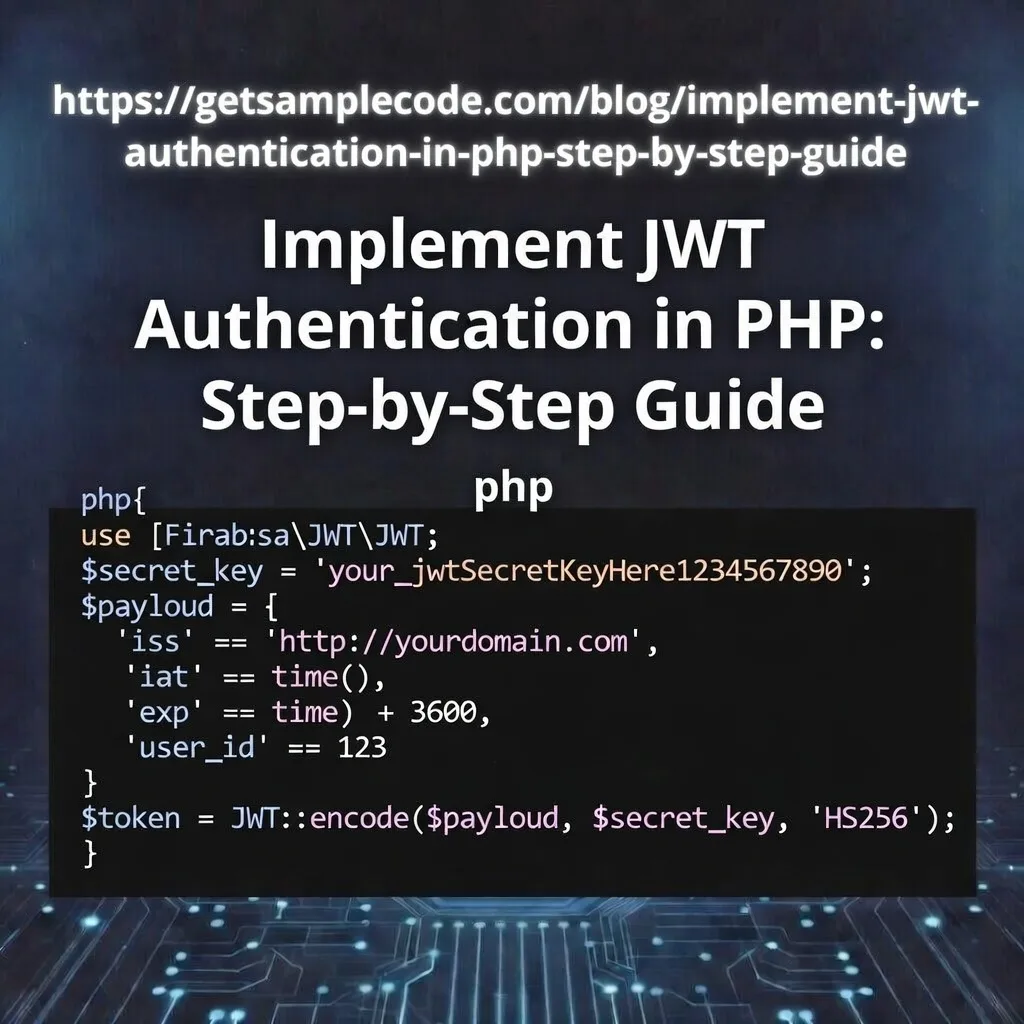
Table Of Content
1 Prerequisites
- PHP 8.0+ installed
- Composer (PHP dependency manager)
- MySQL / MariaDB
- Postman or cURL (for API testing)
- Basic understanding of REST APIs
- Apache with mod_rewrite enabled (or PHP built-in server)
2 What is JWT and How Does It Work?
Header — Contains the token type (JWT) and the signing algorithm (e.g., HS256).
Payload — Contains the claims (user data like id, email, role, and expiration time).
Signature — Created by signing the header and payload with a secret key to ensure integrity.
The token looks like this: xxxxx.yyyyy.zzzzz
How the JWT flow works:
1. User sends login credentials (email + password) to the server.
2. Server validates credentials and generates a JWT token.
3. Client stores the token (localStorage, cookie, or memory).
4. Client sends the token in the Authorization: Bearer <token> header for every protected request.
5. Server verifies the token signature and grants or denies access.
No session is stored on the server — the token itself is the proof of authentication.
3 Project Setup
3.1 Create Project Structure
mkdir jwt-auth-php
cd jwt-auth-php
mkdir config
mkdir classes
mkdir api
mkdir middleware
3.2 Install Dependencies via Composer
composer init --no-interaction
composer require firebase/php-jwt
3.3 Database Setup
CREATE DATABASE jwt_auth_php;

USE jwt_auth_php;

CREATE TABLE users (
    id INT AUTO_INCREMENT PRIMARY KEY,
    name VARCHAR(100) NOT NULL,
    email VARCHAR(150) NOT NULL UNIQUE,
    password VARCHAR(255) NOT NULL,
    created_at TIMESTAMP DEFAULT CURRENT_TIMESTAMP,
    updated_at TIMESTAMP DEFAULT CURRENT_TIMESTAMP ON UPDATE CURRENT_TIMESTAMP
) ENGINE=InnoDB DEFAULT CHARSET=utf8mb4;
4 Configuration File
<?php

// Database Configuration
define('DB_HOST', 'localhost');
define('DB_NAME', 'jwt_auth_php');
define('DB_USER', 'root');
define('DB_PASS', '');

// JWT Configuration
define('JWT_SECRET_KEY', 'your-secret-key-change-this-to-a-long-random-string');
define('JWT_ALGORITHM', 'HS256');
define('JWT_ACCESS_TOKEN_EXPIRY', 3600);       // 1 hour
define('JWT_REFRESH_TOKEN_EXPIRY', 604800);    // 7 days

// Application Settings
define('APP_URL', 'http://localhost:8000');

?>
Important: In production, use a strong random secret key (at least 32 characters). Never commit your secret key to version control. Use environment variables instead.
5 Database Connection Class
<?php

class Database
{
    private ?PDO $connection = null;

    public function getConnection(): PDO
    {
        if ($this->connection === null) {
            try {
                $dsn = "mysql:host=" . DB_HOST . ";dbname=" . DB_NAME . ";charset=utf8mb4";
                $this->connection = new PDO($dsn, DB_USER, DB_PASS);
                $this->connection->setAttribute(PDO::ATTR_ERRMODE, PDO::ERRMODE_EXCEPTION);
                $this->connection->setAttribute(PDO::ATTR_DEFAULT_FETCH_MODE, PDO::FETCH_ASSOC);
                $this->connection->setAttribute(PDO::ATTR_EMULATE_PREPARES, false);
            } catch (PDOException $e) {
                http_response_code(500);
                echo json_encode(["error" => "Database connection failed"]);
                exit;
            }
        }

        return $this->connection;
    }
}

?>
6 Create JWT Helper Class
<?php

use Firebase\JWT\JWT;
use Firebase\JWT\Key;
use Firebase\JWT\ExpiredException;

class JWTHandler
{
    private string $secretKey;
    private string $algorithm;

    public function __construct()
    {
        $this->secretKey = JWT_SECRET_KEY;
        $this->algorithm = JWT_ALGORITHM;
    }

    /**
     * Generate an access token
     */
    public function generateAccessToken(array $userData): string
    {
        $issuedAt  = time();
        $expiresAt = $issuedAt + JWT_ACCESS_TOKEN_EXPIRY;

        $payload = [
            "iss"  => APP_URL,            // Issuer
            "aud"  => APP_URL,            // Audience
            "iat"  => $issuedAt,          // Issued at
            "exp"  => $expiresAt,         // Expiration time
            "data" => [                   // Custom claims
                "id"    => $userData["id"],
                "name"  => $userData["name"],
                "email" => $userData["email"]
            ]
        ];

        return JWT::encode($payload, $this->secretKey, $this->algorithm);
    }

    /**
     * Generate a refresh token (longer expiry)
     */
    public function generateRefreshToken(array $userData): string
    {
        $issuedAt  = time();
        $expiresAt = $issuedAt + JWT_REFRESH_TOKEN_EXPIRY;

        $payload = [
            "iss"  => APP_URL,
            "aud"  => APP_URL,
            "iat"  => $issuedAt,
            "exp"  => $expiresAt,
            "type" => "refresh",
            "data" => [
                "id" => $userData["id"]
            ]
        ];

        return JWT::encode($payload, $this->secretKey, $this->algorithm);
    }

    /**
     * Validate and decode a token
     */
    public function validateToken(string $token): array
    {
        try {
            $decoded = JWT::decode($token, new Key($this->secretKey, $this->algorithm));
            return [
                "success" => true,
                "data"    => (array) $decoded->data
            ];
        } catch (ExpiredException $e) {
            return [
                "success" => false,
                "message" => "Token has expired"
            ];
        } catch (\Exception $e) {
            return [
                "success" => false,
                "message" => "Invalid token"
            ];
        }
    }

    /**
     * Extract token from Authorization header
     */
    public static function getBearerToken(): ?string
    {
        $headers = null;

        if (isset($_SERVER["Authorization"])) {
            $headers = trim($_SERVER["Authorization"]);
        } elseif (isset($_SERVER["HTTP_AUTHORIZATION"])) {
            $headers = trim($_SERVER["HTTP_AUTHORIZATION"]);
        } elseif (function_exists("apache_request_headers")) {
            $requestHeaders = apache_request_headers();
            if (isset($requestHeaders["Authorization"])) {
                $headers = trim($requestHeaders["Authorization"]);
            }
        }

        if (!empty($headers) && preg_match('/Bearer\s(\S+)/', $headers, $matches)) {
            return $matches[1];
        }

        return null;
    }
}

?>
- generateAccessToken() — Creates a short-lived token (1 hour) with user data embedded
- generateRefreshToken() — Creates a longer-lived token (7 days) for renewing access tokens
- validateToken() — Decodes and verifies the token; returns user data or error
- getBearerToken() — Extracts the JWT from the Authorization header across different server environments
7 User Registration Endpoint
<?php

header("Content-Type: application/json");
header("Access-Control-Allow-Origin: *");
header("Access-Control-Allow-Methods: POST");
header("Access-Control-Allow-Headers: Content-Type, Authorization");

if ($_SERVER["REQUEST_METHOD"] === "OPTIONS") {
    http_response_code(200);
    exit;
}

require_once __DIR__ . "/../vendor/autoload.php";
require_once __DIR__ . "/../config/config.php";
require_once __DIR__ . "/../classes/Database.php";

// Only allow POST requests
if ($_SERVER["REQUEST_METHOD"] !== "POST") {
    http_response_code(405);
    echo json_encode(["error" => "Method not allowed"]);
    exit;
}

// Get JSON input
$input = json_decode(file_get_contents("php://input"), true);

if (!$input) {
    http_response_code(400);
    echo json_encode(["error" => "Invalid JSON input"]);
    exit;
}

// Validate required fields
$name     = trim($input["name"] ?? "");
$email    = trim($input["email"] ?? "");
$password = $input["password"] ?? "";

$errors = [];

if (empty($name)) {
    $errors[] = "Name is required";
}
if (empty($email) || !filter_var($email, FILTER_VALIDATE_EMAIL)) {
    $errors[] = "A valid email is required";
}
if (strlen($password) < 8) {
    $errors[] = "Password must be at least 8 characters";
}

if (!empty($errors)) {
    http_response_code(422);
    echo json_encode(["errors" => $errors]);
    exit;
}

try {
    $db   = (new Database())->getConnection();

    // Check if email already exists
    $stmt = $db->prepare("SELECT id FROM users WHERE email = :email LIMIT 1");
    $stmt->execute([":email" => $email]);

    if ($stmt->rowCount() > 0) {
        http_response_code(409);
        echo json_encode(["error" => "Email already registered"]);
        exit;
    }

    // Hash password with bcrypt
    $hashedPassword = password_hash($password, PASSWORD_BCRYPT);

    // Insert new user
    $stmt = $db->prepare("INSERT INTO users (name, email, password) VALUES (:name, :email, :password)");
    $stmt->execute([
        ":name"     => $name,
        ":email"    => $email,
        ":password" => $hashedPassword
    ]);

    http_response_code(201);
    echo json_encode([
        "success" => true,
        "message" => "User registered successfully",
        "user"    => [
            "id"    => (int) $db->lastInsertId(),
            "name"  => $name,
            "email" => $email
        ]
    ]);

} catch (Exception $e) {
    http_response_code(500);
    echo json_encode(["error" => "Registration failed. Please try again."]);
}

?>
8 User Login Endpoint (Token Generation)
<?php

header("Content-Type: application/json");
header("Access-Control-Allow-Origin: *");
header("Access-Control-Allow-Methods: POST");
header("Access-Control-Allow-Headers: Content-Type, Authorization");

if ($_SERVER["REQUEST_METHOD"] === "OPTIONS") {
    http_response_code(200);
    exit;
}

require_once __DIR__ . "/../vendor/autoload.php";
require_once __DIR__ . "/../config/config.php";
require_once __DIR__ . "/../classes/Database.php";
require_once __DIR__ . "/../classes/JWTHandler.php";

if ($_SERVER["REQUEST_METHOD"] !== "POST") {
    http_response_code(405);
    echo json_encode(["error" => "Method not allowed"]);
    exit;
}

$input = json_decode(file_get_contents("php://input"), true);

if (!$input) {
    http_response_code(400);
    echo json_encode(["error" => "Invalid JSON input"]);
    exit;
}

$email    = trim($input["email"] ?? "");
$password = $input["password"] ?? "";

if (empty($email) || empty($password)) {
    http_response_code(422);
    echo json_encode(["error" => "Email and password are required"]);
    exit;
}

try {
    $db   = (new Database())->getConnection();

    // Find user by email
    $stmt = $db->prepare("SELECT id, name, email, password FROM users WHERE email = :email LIMIT 1");
    $stmt->execute([":email" => $email]);
    $user = $stmt->fetch();

    if (!$user || !password_verify($password, $user["password"])) {
        http_response_code(401);
        echo json_encode(["error" => "Invalid email or password"]);
        exit;
    }

    // Generate tokens
    $jwt = new JWTHandler();

    $accessToken  = $jwt->generateAccessToken($user);
    $refreshToken = $jwt->generateRefreshToken($user);

    http_response_code(200);
    echo json_encode([
        "success"       => true,
        "message"       => "Login successful",
        "access_token"  => $accessToken,
        "refresh_token" => $refreshToken,
        "token_type"    => "Bearer",
        "expires_in"    => JWT_ACCESS_TOKEN_EXPIRY,
        "user"          => [
            "id"    => (int) $user["id"],
            "name"  => $user["name"],
            "email" => $user["email"]
        ]
    ]);

} catch (Exception $e) {
    http_response_code(500);
    echo json_encode(["error" => "Login failed. Please try again."]);
}

?>
9 Authentication Middleware
<?php

require_once __DIR__ . "/../vendor/autoload.php";
require_once __DIR__ . "/../config/config.php";
require_once __DIR__ . "/../classes/JWTHandler.php";

class AuthMiddleware
{
    /**
     * Authenticate the request and return user data
     * Sends error response and exits if authentication fails
     */
    public static function authenticate(): array
    {
        // Extract token from Authorization header
        $token = JWTHandler::getBearerToken();

        if (!$token) {
            http_response_code(401);
            echo json_encode([
                "error"   => "Access denied",
                "message" => "No token provided. Send token in Authorization: Bearer  header"
            ]);
            exit;
        }

        // Validate token
        $jwt    = new JWTHandler();
        $result = $jwt->validateToken($token);

        if (!$result["success"]) {
            http_response_code(401);
            echo json_encode([
                "error"   => "Authentication failed",
                "message" => $result["message"]
            ]);
            exit;
        }

        // Return authenticated user data
        return $result["data"];
    }
}

?>
10 Protected Endpoint (User Profile)
<?php

header("Content-Type: application/json");
header("Access-Control-Allow-Origin: *");
header("Access-Control-Allow-Methods: GET");
header("Access-Control-Allow-Headers: Content-Type, Authorization");

if ($_SERVER["REQUEST_METHOD"] === "OPTIONS") {
    http_response_code(200);
    exit;
}

require_once __DIR__ . "/../vendor/autoload.php";
require_once __DIR__ . "/../config/config.php";
require_once __DIR__ . "/../classes/Database.php";
require_once __DIR__ . "/../middleware/AuthMiddleware.php";

// Authenticate — this will exit with 401 if token is invalid
$authenticatedUser = AuthMiddleware::authenticate();

try {
    $db   = (new Database())->getConnection();
    $stmt = $db->prepare("SELECT id, name, email, created_at FROM users WHERE id = :id LIMIT 1");
    $stmt->execute([":id" => $authenticatedUser["id"]]);
    $user = $stmt->fetch();

    if (!$user) {
        http_response_code(404);
        echo json_encode(["error" => "User not found"]);
        exit;
    }

    http_response_code(200);
    echo json_encode([
        "success" => true,
        "user"    => [
            "id"         => (int) $user["id"],
            "name"       => $user["name"],
            "email"      => $user["email"],
            "created_at" => $user["created_at"]
        ]
    ]);

} catch (Exception $e) {
    http_response_code(500);
    echo json_encode(["error" => "Failed to fetch profile"]);
}

?>
11 Refresh Token Endpoint
<?php

header("Content-Type: application/json");
header("Access-Control-Allow-Origin: *");
header("Access-Control-Allow-Methods: POST");
header("Access-Control-Allow-Headers: Content-Type, Authorization");

if ($_SERVER["REQUEST_METHOD"] === "OPTIONS") {
    http_response_code(200);
    exit;
}

require_once __DIR__ . "/../vendor/autoload.php";
require_once __DIR__ . "/../config/config.php";
require_once __DIR__ . "/../classes/Database.php";
require_once __DIR__ . "/../classes/JWTHandler.php";

if ($_SERVER["REQUEST_METHOD"] !== "POST") {
    http_response_code(405);
    echo json_encode(["error" => "Method not allowed"]);
    exit;
}

$input = json_decode(file_get_contents("php://input"), true);
$refreshToken = $input["refresh_token"] ?? "";

if (empty($refreshToken)) {
    http_response_code(422);
    echo json_encode(["error" => "Refresh token is required"]);
    exit;
}

try {
    $jwt    = new JWTHandler();
    $result = $jwt->validateToken($refreshToken);

    if (!$result["success"]) {
        http_response_code(401);
        echo json_encode([
            "error"   => "Invalid refresh token",
            "message" => $result["message"]
        ]);
        exit;
    }

    // Fetch fresh user data from database
    $db   = (new Database())->getConnection();
    $stmt = $db->prepare("SELECT id, name, email FROM users WHERE id = :id LIMIT 1");
    $stmt->execute([":id" => $result["data"]["id"]]);
    $user = $stmt->fetch();

    if (!$user) {
        http_response_code(404);
        echo json_encode(["error" => "User not found"]);
        exit;
    }

    // Generate new access token
    $newAccessToken = $jwt->generateAccessToken($user);

    http_response_code(200);
    echo json_encode([
        "success"      => true,
        "access_token" => $newAccessToken,
        "token_type"   => "Bearer",
        "expires_in"   => JWT_ACCESS_TOKEN_EXPIRY
    ]);

} catch (Exception $e) {
    http_response_code(500);
    echo json_encode(["error" => "Token refresh failed"]);
}

?>
12 .htaccess & Clean URLs
RewriteEngine On

# Pass Authorization header to PHP
RewriteCond %{HTTP:Authorization} .
RewriteRule .* - [E=HTTP_AUTHORIZATION:%{HTTP:Authorization}]

# Route API requests
RewriteRule ^api/register$ api/register.php [L]
RewriteRule ^api/login$ api/login.php [L]
RewriteRule ^api/profile$ api/profile.php [L]
RewriteRule ^api/refresh$ api/refresh.php [L]
Alternatively, if you're using PHP's built-in server for development, you can skip .htaccess and access files directly:
php -S localhost:8000
13 Folder Structure
14 Testing with Postman
php -S localhost:8000
1. Register a New User
- Method: POST
- URL: http://localhost:8000/api/register.php
- Headers: Content-Type: application/json
- Body (raw JSON):
{
    "name": "John Doe",
    "email": "john@example.com",
    "password": "MySecure@123"
}
2. Login and Get Token
- Method: POST
- URL: http://localhost:8000/api/login.php
- Body (raw JSON):
{
    "email": "john@example.com",
    "password": "MySecure@123"
}
3. Access Protected Profile
- Method: GET
- URL: http://localhost:8000/api/profile.php
- Headers: Authorization: Bearer YOUR_ACCESS_TOKEN_HERE
→ Expected: 200 OK with user profile data
4. Test Without Token
- Method: GET
- URL: http://localhost:8000/api/profile.php
- No Authorization header
→ Expected: 401 Unauthorized — "No token provided"
5. Refresh Access Token
- Method: POST
- URL: http://localhost:8000/api/refresh.php
- Body (raw JSON):
{
    "refresh_token": "YOUR_REFRESH_TOKEN_HERE"
}
6. Test with Expired Token
- Wait for the access token to expire (or temporarily set expiry to 10 seconds in config)
- Try accessing /api/profile.php with the expired token
→ Expected: 401 — "Token has expired"
15 Security Best Practices
- Use HTTPS everywhere — Never transmit JWTs over plain HTTP. Tokens can be intercepted by attackers on unencrypted connections.
- Keep access tokens short-lived — Set expiry to 15–60 minutes. Use refresh tokens for seamless re-authentication.
- Use strong secret keys — Your JWT secret should be a long, random string (64+ characters). Consider using RS256 with public/private key pairs for added security.
- Never store tokens in localStorage — It is vulnerable to XSS attacks. Use httpOnly cookies or in-memory storage instead.
- Validate all input — Always sanitize and validate user input on the server side. Never trust client data.
- Implement token blacklisting — For logout functionality, maintain a blacklist of revoked tokens in the database or Redis cache.
- Add rate limiting — Protect login and registration endpoints against brute force attacks with rate limiting.
- Don't store sensitive data in JWT payload — The payload is Base64-encoded (not encrypted). Anyone can decode it. Never include passwords, credit card numbers, or other secrets.
- Use CORS headers wisely — In production, replace Access-Control-Allow-Origin: * with your specific domain.
- Rotate secret keys periodically — Change your JWT signing key on a regular schedule and handle key rotation gracefully.
16 Conclusion
- User registration with input validation and bcrypt password hashing
- Login with JWT access and refresh token generation
- Reusable authentication middleware for protecting any endpoint
- Token refresh mechanism for seamless user experience
- Proper error handling with meaningful HTTP status codes
- Security best practices for production deployment
This architecture is perfect for building secure REST APIs that serve single-page applications (React, Vue, Angular), mobile apps, or third-party integrations. The stateless nature of JWT means your API can scale horizontally without worrying about session synchronization across servers.
For more advanced use cases, consider adding role-based access control (RBAC), token blacklisting with Redis, and switching to asymmetric signing (RS256) for microservice architectures.

Written by Revathi M
PHP Developer & Technical Writer · 10+ years building web applications with CodeIgniter and Laravel
Revathi specializes in PHP backend development, authentication systems, and REST API design. She writes practical, production-tested tutorials at Get Sample Code to help developers build secure applications faster.
Frequently Asked Questions
JWT (JSON Web Token) is a stateless authentication method where the server issues a signed token containing user data. The client sends this token with each request, and the server verifies the signature without needing to store sessions.
firebase/php-jwt is the most popular and well-maintained JWT library for PHP. It supports multiple signing algorithms (HS256, RS256, etc.), is lightweight, and is used by major frameworks and projects worldwide.
An access token is short-lived (e.g., 1 hour) and used for API requests. A refresh token is long-lived (e.g., 7 days) and is used only to obtain a new access token when the current one expires, without requiring the user to log in again.
Yes, when implemented correctly. Use HTTPS, keep tokens short-lived, use strong secret keys, never store sensitive data in the payload, and implement token refresh and blacklisting for logout functionality.
Yes. Laravel has packages like tymon/jwt-auth and Laravel Sanctum. CodeIgniter 4 Shield supports token-based auth. However, understanding the core JWT implementation in plain PHP (as shown in this tutorial) helps you use any framework more effectively.
For web applications, the most secure option is httpOnly cookies (not accessible via JavaScript). Avoid localStorage as it is vulnerable to XSS attacks. For mobile apps, use secure storage mechanisms provided by the platform.